


Description
Download Learn Chinese Quick – Free Vocabulary Builder for Mandarin Learners
Overview
Learn Chinese Quick is a completely free app designed for anyone who wants to boost their Mandarin vocabulary without spending a fortune on textbooks or paid courses. Built around the proven flash‑card method, the app lets you practice both traditional and simplified Chinese characters while hearing native Mandarin pronunciation alongside English translations. Whether you’re a complete beginner or an intermediate learner looking for a fast‑track to fluency, Learn Chinese Quick offers a secure, ad‑light environment that updates regularly with new word sets, audio clips, and learning tips. The interface is clean, intuitive, and optimized for short, daily study sessions, making it easy to fit language practice into a busy schedule. By focusing on high‑frequency words and contextual examples, the app helps learners internalize vocabulary faster than rote memorization alone. It also supports offline mode, so you can study on the go without worrying about internet connectivity. In short, Learn Chinese Quick combines the convenience of a mobile app with the effectiveness of spaced‑repetition flash cards, delivering a powerful language‑learning tool that’s truly free.
Core Features
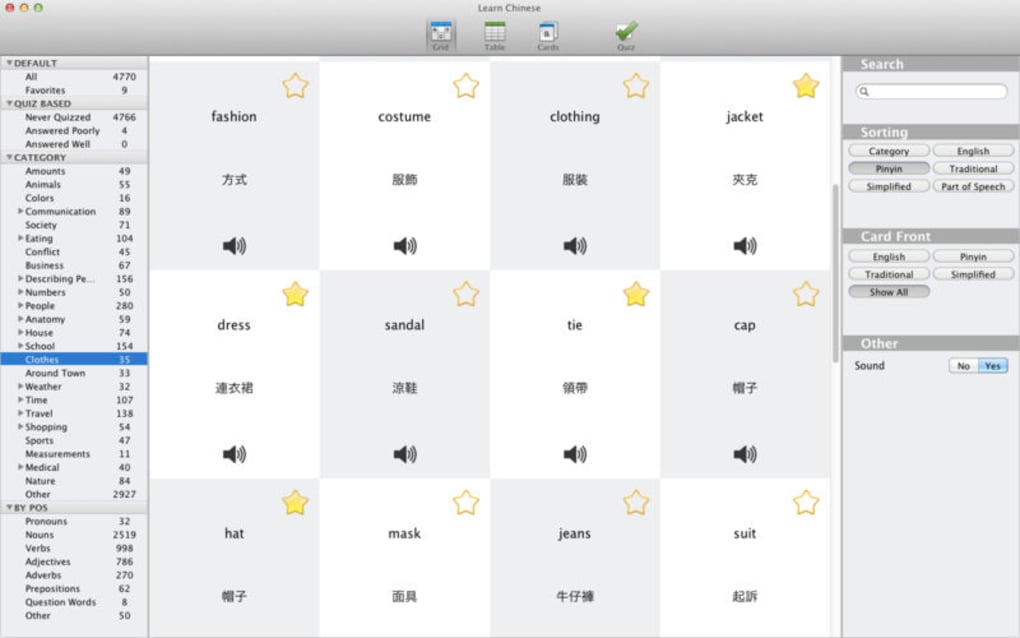
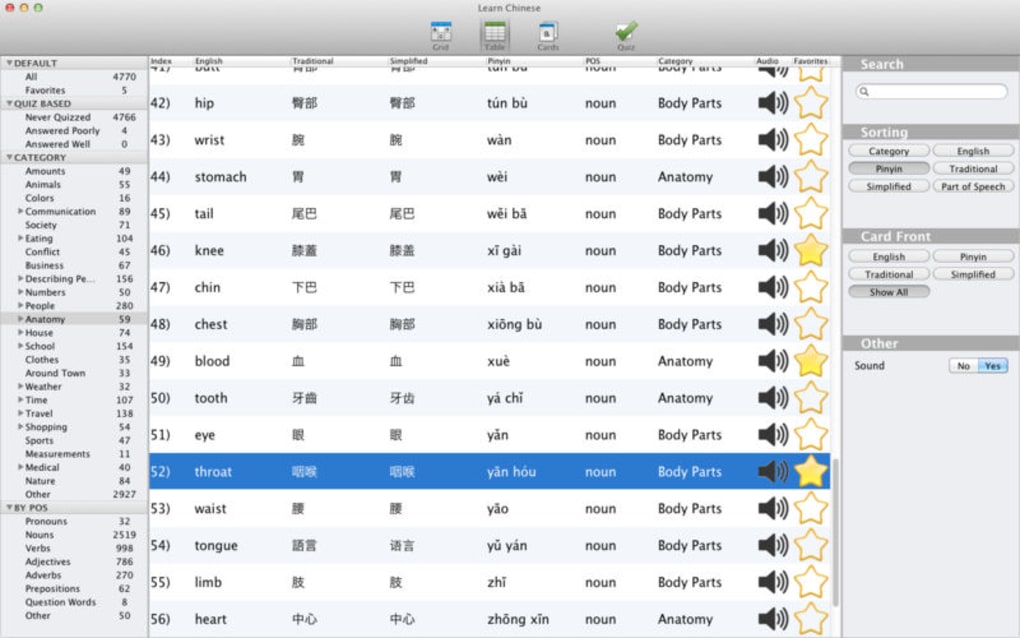
- Dual Script Support: Choose between simplified and traditional Chinese characters to match your learning goals.
- Mandarin Audio Pronunciation: Native‑speaker recordings for every word, helping you master tones and intonation.
- English Translations: Clear, concise meanings displayed alongside each card for quick reference.
- Spaced Repetition System (SRS): Intelligent algorithm schedules reviews at optimal intervals to boost long‑term retention.
- Custom Word Lists: Create, import, or edit your own vocabulary sets for personalized study.
- Offline Mode: Download decks once and practice without an internet connection.
- Progress Tracking: Visual graphs show daily streaks, mastery levels, and time spent learning.
- Regular Updates: New word packs, audio improvements, and UI tweaks are released monthly.
- Cross‑Platform Sync: Seamlessly switch between Android, iOS, Windows, or Mac while keeping your progress synchronized.
- Secure & Ad‑Light: No hidden fees, no invasive ads, and data stored locally or in encrypted cloud backups.
Installation, Usage & Compatibility
Getting started with Learn Chinese Quick is straightforward. Follow these steps to download and set up the app on your preferred device:
- Download: Visit the official website or your device’s app store (Google Play for Android, App Store for iOS, Microsoft Store for Windows, or Mac App Store for macOS). Search for “Learn Chinese Quick” and click the Download button.
- Installation: The installer is lightweight (under 30 MB) and runs automatically. On Windows or macOS, you may need to grant permission for the app to access your file system for offline storage.
- Account Setup (Optional): You can create a free cloud account to sync progress across devices. This step is optional; the app works perfectly offline without an account.
- First Launch: Upon opening the app, you’ll be greeted with a quick tutorial that explains the flash‑card workflow, how to switch between simplified/traditional scripts, and where to find pronunciation audio.
- Choosing a Deck: Select a pre‑loaded vocabulary deck (e.g., “Basic 500 Words”) or import a custom CSV file. The app automatically categorizes words by difficulty and schedules them using the SRS algorithm.
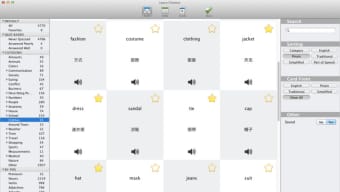
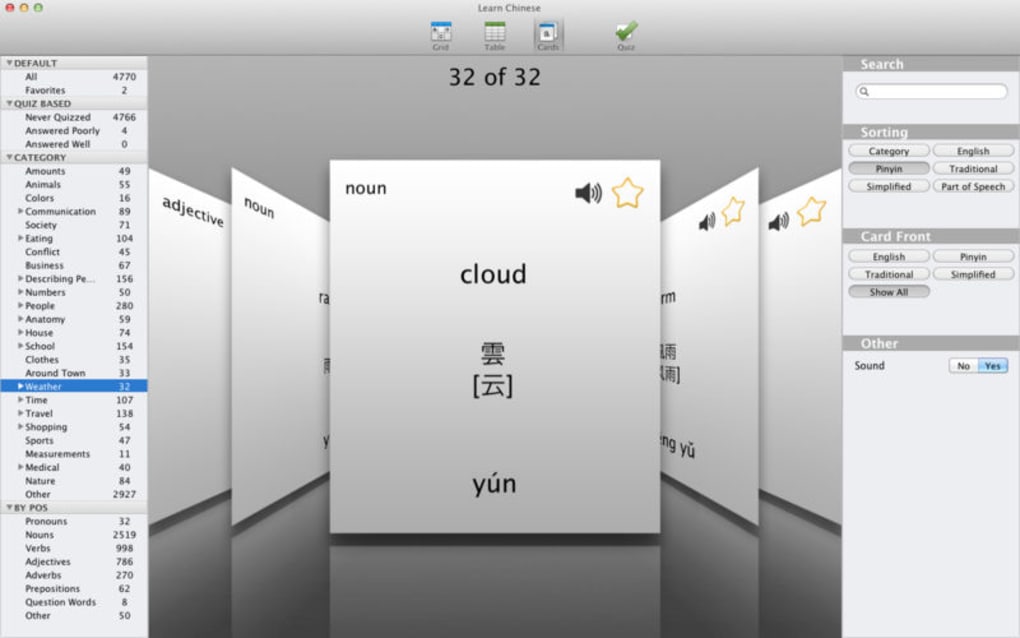
- Studying: Each card shows the Chinese character(s) on the front, with a tap revealing the English meaning and a play button for Mandarin pronunciation. Mark each word as “Known” or “Again” to let the system adjust future review intervals.
- Review & Progress: The dashboard provides daily streak counters, mastery percentages, and a timeline of completed sessions. Use these insights to set personal goals and maintain motivation.
Learn Chinese Quick runs on Android 5.0+ and iOS 12+, as well as Windows 10/11 and macOS 10.14+ (via the desktop client). The app is built with cross‑platform frameworks, ensuring a consistent experience whether you’re on a smartphone, tablet, or laptop.
Pros, Cons & User Feedback
Pros
- Entirely free with no hidden subscription fees.
- Supports both simplified and traditional characters, catering to a broad audience.
- High‑quality Mandarin audio recorded by native speakers.
- Effective spaced‑repetition system that adapts to individual learning speed.
- Offline capability makes it perfect for travel or low‑bandwidth situations.
- Cross‑device sync keeps progress consistent across Android, iOS, Windows, and Mac.
- Regular content updates keep the vocabulary fresh and relevant.
- Secure data handling with optional encrypted cloud backup.
Cons
- Limited advanced features such as grammar explanations or sentence building.
- No built‑in speech recognition for pronunciation practice.
- Custom deck import requires CSV formatting knowledge.
- Desktop version lacks some visual polish compared to the mobile UI.
- While ad‑light, occasional promotional banners for premium word packs appear.
Overall Rating: 4.5/5 – Learn Chinese Quick delivers a focused, free vocabulary‑building experience that rivals many paid language apps. Its strengths lie in the dual‑script support, clear audio, and reliable spaced‑repetition engine. Users who need deeper grammar tools may look elsewhere, but for quick, daily word practice, this app is a top choice.
Frequently Asked Questions
Is Learn Chinese Quick completely free?
Yes, the core app and all standard vocabulary decks are free. There are optional premium word packs, but they are not required for effective learning.
Can I use the app without an internet connection?
Absolutely. After you download a deck, the flash cards and audio files are stored locally, allowing you to study offline on any device.
Does Learn Chinese Quick support both simplified and traditional Chinese?
Yes. You can switch between simplified and traditional characters in the settings, and each deck contains both versions where applicable.
How does the spaced‑repetition algorithm work?
When you mark a word as “Known” or “Again,” the app schedules its next review based on how well you remembered it. Words you know well appear less frequently, while challenging words are shown more often, maximizing retention.
Is my data safe when I sync across devices?
Yes. Sync data is encrypted in transit and stored on secure servers. You also have the option to keep all data locally if you prefer not to use cloud backup.
Conclusion & Call to Action
Learn Chinese Quick stands out as a focused, secure, and completely free vocabulary‑building app that caters to beginners and intermediate learners alike. Its dual‑script support, high‑quality Mandarin pronunciation, and smart spaced‑repetition system make daily study both efficient and enjoyable. While it doesn’t replace a full‑featured language course, it excels as a complementary tool for rapid word acquisition. If you’re looking to download a reliable Chinese learning app that won’t drain your wallet, install Learn Chinese Quick today and start expanding your Mandarin lexicon in minutes.
Ready to boost your Chinese vocabulary? Click here to download Learn Chinese Quick for free and embark on a faster path to fluency.
Guides & Tutorials for Learn Chinese Quick
How to install Learn Chinese Quick
- Click the Preview / Download button above.
- Once redirected, accept the terms and click Install.
- Wait for the Learn Chinese Quick download to finish on your device.
How to use Learn Chinese Quick
This software is primarily used for its core features described above. Open the app after installation to explore its capabilities.
User Reviews for Learn Chinese Quick 0
No reviews found





.webp)